Designing for everyone: accessibility
20 videos · Practical web accessibility, then people who are blind, deaf or disabled showing how they actually use software, games and cities. Better than any checklist for building empathy.
 39:01
Léonie Watson, "Design like you give a damn: Practical accessibility for web pros" at W3Conf 2013
Leonie Watson, an accessibility engineer who is herself a screen reader user, gives a W3Conf 2013 talk with practical accessibility advice for web professionals. She demonstrates how blind users navigate pages with a screen reader and why markup matters.
 27:24
Victor Tsaran: An Introduction to Screen Readers
Victor Tsaran gives an introduction to screen readers for web developers, showing how blind users move through web pages with the help of speech output. The talk was given for the YUI Library team.
 8:42
Importance of HTML Headings for Accessibility
Aaron Cannon, a blind web developer, demonstrates how a screen reader user moves through web pages that do and do not use HTML headings properly. It shows concretely how heading structure shapes navigation for people using assistive technology.
 12:11
Screen Reader Basics: VoiceOver -- A11ycasts #07
An episode of the A11ycasts series from Chrome for Developers introducing the macOS screen reader VoiceOver. It shows the basics of turning it on and navigating a page so developers can test how their sites sound.
 13:29
!!Con 2016 - How I Code and Use a Computer at 1,000 WPM!! By Sina Bahram
Sina Bahram, an accessibility consultant who is blind, demonstrates at !!Con 2016 how he codes and uses a computer at around 1,000 words per minute with a screen reader. He asks what it would take to get through a day using only the keyboard and without looking at the screen.
 7:09
How A Blind Developer Uses Visual Studio
A short talk by Saqib Shaikh, a blind developer at Microsoft, showing how he writes, navigates and debugs code in Visual Studio using a screen reader and audio feedback.
 2:12
How Blind People Use Instagram
Tommy Edison, who is blind, shows how he uses Instagram on an iPhone with VoiceOver. It shows how the screen reader speaks each button and lets him navigate the app by touch.
 3:50
iPhone Magnifier and Voice over
Kristy Viers, a blind creator, demonstrates the iPhone Magnifier with VoiceOver, which uses the camera to describe what is in front of her. It speaks scene descriptions, number of faces and lighting conditions.
 2:45
Seeing AI 2016 Prototype - A Microsoft research project
A Microsoft research video of the 2016 prototype of Seeing AI, a smartphone app that describes the surrounding world to people who are blind or have low vision. It shows the app recognizing scenes, people and objects and speaking the results aloud.
 12:55
Making Games Better for the Deaf and Hard of Hearing | Designing for Disability
Game Maker's Toolkit looks at how games fail deaf and hard of hearing players and what developers can do about it, such as better subtitles and visual cues for sound. It is part of the Designing for Disability series on game accessibility.
 13:56
Making Games Better for Gamers with Colourblindness & Low Vision | Designing for Disability
An episode of Game Maker's Toolkit's Designing for Disability series on making games better for players with colourblindness and low vision. It looks at problems like colour-coded information and small text, and the options developers can offer.
 9:21
Improving Games for Those with Cognitive Disabilities | Designing for Disability
A Game Maker's Toolkit episode in the Designing for Disability series on how games can be made better for players with cognitive disabilities. It looks at design choices and options that make games easier to understand and play.
 16:46
How Accessible Were 2021's Games?
A Game Maker's Toolkit video reviewing how accessible the games released in 2021 were. It looks at options like subtitles, difficulty settings, colorblind modes and remappable controls, and which studios did them well.
 14:49
How do blind people play (computer)games 1/3
The first of three videos on how blind people play computer games. It shows how a blind player gets around games using sound and assistive tools.
 3:13
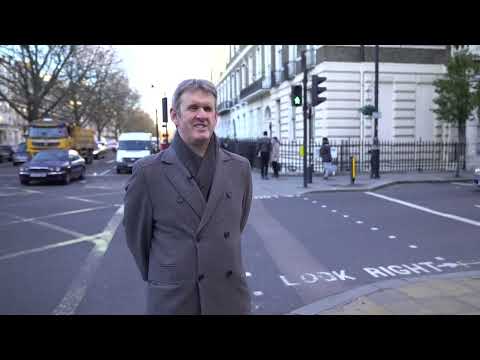
The Little-Known Patterns on British Streets
Tom Scott explains the tactile paving patterns on British streets, such as the bobbled slabs at crossings and the ridged ones elsewhere, and what each tells blind and partially sighted people. He also explains why the slabs are bright yellow.
 19:48
Closed Captioning: More Ingenious than You Know
Technology Connections explains how closed captioning works in analog television, and why the way captions were encoded in the broadcast signal was clever. It walks through the technique with equipment and examples.
 9:59
It's not fair having 12 pairs of legs | Aimee Mullins
A TED talk by Aimee Mullins, an athlete and model who uses prosthetic legs, on how her different legs change what she can do and how she is seen. She treats prosthetics as an expression of identity and a source of possibility rather than a deficit.
 41:18
"Voice Driven Development: Who needs a keyboard anyway?" by Emily Shea
Emily Shea explains how she writes code by voice using Talon after developing RSI, and demonstrates it live, including driving vim in Ruby. The talk covers the setup, the tweaking it took and the state of voice coding.
 28:17
Using Python to Code by Voice
Tavis Rudd's PyCon 2013 talk and demo of writing Python by voice. After severe RSI, he built a system on Dragon speech recognition and custom Python scripts that lets him code and edit in Emacs with a made-up spoken command language.
 9:07
Hacking my arm prosthesis to output CV so that it plugs into my synth: Thought-controlled music!
Bertolt Meyer, who uses a prosthetic arm, shows how he hacked it to output control voltage so that it plugs into his synthesizer, letting him play music with the signals from his arm.